

Best Audi MMI and multimedia upgrades in 2026
Best overall: a smartphone-integration retrofit for a working, compatible MMI system. Best for cable-free use: a wireless adapter for existing wired smartphone integration. Best for music-only needs: an audio-input interface. This 2026 Audi multimedia guide compares those routes with replacement touchscreens and factory-system restoration, so you choose the change your car actually needs.
- For Audi multimedia, choose a smartphone-integration retrofit when your working MMI lacks compatible phone projection.
- Wireless adapters require existing compatible wired integration; they do not add CarPlay to every Audi.
- Choose an audio-input interface when music playback matters more than on-screen navigation.
- Bayernmotorwerks sells Audi OEM and upgrade parts; verify multimedia compatibility separately for your exact vehicle.
Why this matters
An Audi multimedia upgrade is not one interchangeable accessory. A phone-projection interface, wireless adapter, replacement display, and factory repair solve different problems. Buying by screen appearance or model name alone leaves important compatibility questions unanswered.
For your 2026 shortlist, separate the desired feature from the hardware needed to provide it. Bayernmotorwerks sells OEM and upgrade parts and accessories for Audi, VW, and Porsche owners; an individual multimedia component still needs its own fitment confirmation.
Choose the smallest change that delivers the missing function while preserving the factory functions you use. A working display does not need replacement merely because you want phone-based navigation.
What makes the best Audi multimedia upgrade
Use these 6 criteria before comparing upgrade types:
- System compatibility: Match the installed MMI version, hardware, connectors, and vehicle configuration—not just the badge on the trunk.
- Missing function: Decide whether you need phone projection, wireless connectivity, music playback, a different display, or fault repair.
- Factory retention: Require clear answers about parking displays, steering-wheel controls, vehicle settings, and existing audio equipment.
- Audio path: Establish how sound reaches the factory system and how calls use the microphone.
- Installation scope: Identify trim removal, wiring changes, configuration work, and any professional installation requirements.
- Reversibility: Check whether you can restore the original configuration without repairing altered wiring or trim.
In 2026, a feature list is not a compatibility statement. Ask for documentation covering your actual configuration before choosing a kit.
Audi multimedia upgrades at a glance
The ranking below assigns each route a separate job. These are upgrade categories, not tested recommendations for specific kits.
| Rank and upgrade | Best for | Standout function | Key limitation |
|---|---|---|---|
| 1. Smartphone-integration retrofit | Phone navigation on a working factory display | Adds compatible phone projection through a retrofit interface | Requires exact MMI and audio-path compatibility |
| 2. Wireless smartphone adapter | Removing the cable from existing wired integration | Converts a supported wired connection to wireless use | Does not replace a missing phone-projection system |
| 3. Audio-input interface | Music playback without changing the display | Connects a compatible audio source to the factory system | Does not necessarily display phone apps or maps |
| 4. Replacement touchscreen | Changing the display and interaction method | Provides a different screen and interface | Factory-function retention needs separate verification |
| 5. Factory MMI restoration | Repairing a malfunctioning original system | Restores the original multimedia functions | Restoration alone does not add new capabilities |
1. Smartphone-integration retrofit: best for phone navigation
A smartphone-integration retrofit adds a compatible interface between your phone and the vehicle's multimedia hardware. Depending on the documented kit configuration, it presents supported Apple CarPlay or Android Auto functions through the existing display. It is the default route when your factory system works but lacks the phone integration you want.
Do not treat CarPlay and Android Auto support as interchangeable. Confirm your phone platform, the connection method, and the controls used to select apps before ordering.
Smartphone-integration retrofit pros:
- Targets phone navigation and supported audio apps without making display replacement the objective.
- Keeps the existing screen when the specified installation supports it.
- Separates the missing phone function from otherwise working factory equipment.
Smartphone-integration retrofit cons:
- Compatibility depends on the installed multimedia configuration.
- Audio routing and microphone operation need explicit confirmation.
- Factory-control retention is a kit-specific question, not a category-wide promise.
Best for: Drivers with a working MMI system who want supported phone navigation and app access on the dashboard.
Ask the supplier to explain how you switch between the factory interface and phone projection. Also ask what happens when a parking display activates or a call arrives while navigation is running. Those everyday interactions matter more than the appearance of the app menu.
Verdict: Buy a smartphone-integration retrofit only after its documentation matches your MMI, phone platform, and required factory functions.
2. Wireless smartphone adapter: best for existing wired integration
A wireless smartphone adapter connects to a supported wired smartphone-integration input. Its job is to change the connection method, not to create an absent CarPlay or Android Auto system.
Before choosing this route in 2026, connect your phone by cable and confirm that the required phone-projection feature already works. Bluetooth music playback alone does not establish that requirement.
Wireless smartphone adapter pros:
- Addresses cable-free use without making screen replacement necessary.
- Leaves the underlying phone-projection system as the starting point.
- Has a narrower installation objective than a complete multimedia retrofit.
Wireless smartphone adapter cons:
- Requires the wired integration specified by the adapter manufacturer.
- Phone-platform support must match your device.
- Connection behavior and switching between drivers require checking.
Best for: Drivers whose Audi already supports the required wired phone projection and who specifically want wireless use.
Ask how the adapter selects a phone when multiple paired devices are nearby. Check whether the vehicle's existing USB connection continues to behave as you expect, and establish how you reconnect by cable if needed. Do not assume a wireless connection also charges your phone.
Verdict: Buy a wireless smartphone adapter for confirmed wired integration; skip it when phone projection is missing.
3. Audio-input interface: best for music-only needs
An audio-input interface connects a compatible source to the factory audio system. Depending on the vehicle and interface, that connection uses an existing media input or another specified audio connection. It addresses sound playback rather than promising a new navigation interface.
Start by deciding whether you need music playback, hands-free calls, or both. An interface that provides audio playback does not automatically provide a microphone path or telephone controls.
Audio-input interface pros:
- Focuses on music when on-screen apps are unnecessary.
- Avoids treating a different display as a prerequisite for audio playback.
- Lets you retain the factory interface when the documented connection supports it.
Audio-input interface cons:
- Phone maps do not automatically appear on the factory screen.
- Track information and control behavior depend on the interface.
- Calling support requires separate confirmation.
Best for: Drivers who want a compatible music source through the factory audio system and do not need dashboard phone projection.
Identify the car's actual input before choosing an adapter. A connector's presence is not enough: confirm the supported signal, the required cable, and the source-selection procedure. If your real complaint is poor sound or intermittent output, diagnose that fault rather than assuming another input will solve it.
Verdict: Buy an audio-input interface for confirmed music-playback needs; skip it if dashboard navigation is the goal.
4. Replacement touchscreen: best for changing the display
A replacement touchscreen changes the visible display hardware and its interaction method. Some configurations retain a connection to the original vehicle system while adding a separate interface. Treat the supplied documentation—not the product photograph—as the source of truth about that arrangement.
This route belongs on your shortlist when the screen itself is part of the problem you want to solve. A different display is not automatically a better match for factory controls.
Replacement touchscreen pros:
- Directly addresses the desire for a different display.
- Offers touchscreen interaction when specified by the product.
- Combines display and interface changes in one installation project.
Replacement touchscreen cons:
- Vehicle settings, parking displays, and factory controls need individual checks.
- Display fit, wiring, and installation requirements vary by configuration.
- A screen change does not automatically improve the factory audio system.
Best for: Drivers who deliberately want a different screen and accept the documented installation and integration requirements.
Look beyond the home screen. Ask how the replacement handles factory menus, camera selection, brightness adjustment, and switching between interfaces. Request evidence for your configuration rather than relying on a demonstration in a different Audi.
Verdict: Hold a replacement touchscreen until display fit and factory-function retention are confirmed in writing.
5. Factory MMI restoration: best for a malfunctioning system
Factory MMI restoration begins with diagnosis and then addresses the identified fault. The correct work depends on what has failed; replacing a display is not a diagnosis for every blank screen, lost audio output, or restart problem.
For a 2026 upgrade project, restore essential factory operation before adding an interface that depends on it. Otherwise, you risk combining an unresolved fault with unfamiliar aftermarket behavior.
Factory MMI restoration pros:
- Addresses the underlying malfunction rather than adding another interface around it.
- Prioritizes the original vehicle functions.
- Establishes a working baseline for a later upgrade.
Factory MMI restoration cons:
- Repair alone does not add smartphone projection or touchscreen capability.
- Replacement components can require configuration or component-protection work.
- Diagnosis must precede a reliable parts decision.
Best for: Drivers dealing with failed or unreliable factory multimedia operation.
Describe the fault precisely: what stops working, which functions remain available, and what action triggers the problem. Leave unsupported software changes and component substitutions out of the troubleshooting process. Give the repairer a clear baseline instead.
Verdict: Buy diagnosed repair work first; wait on multimedia additions until the factory system works correctly.
Confirm compatibility before choosing hardware
Use these 3 checks to turn an attractive listing into a purchase decision:
- Identify MMI: Record the system information shown in the vehicle, the installed controls, and the existing connection points. Keep clear photographs for the supplier or installer.
- Confirm functions: List what you need to add and what must remain operational, including calls, parking displays, vehicle settings, and steering-wheel controls.
- Verify installation: Obtain the required wiring, configuration procedure, installation instructions, and a clear explanation of reversibility.
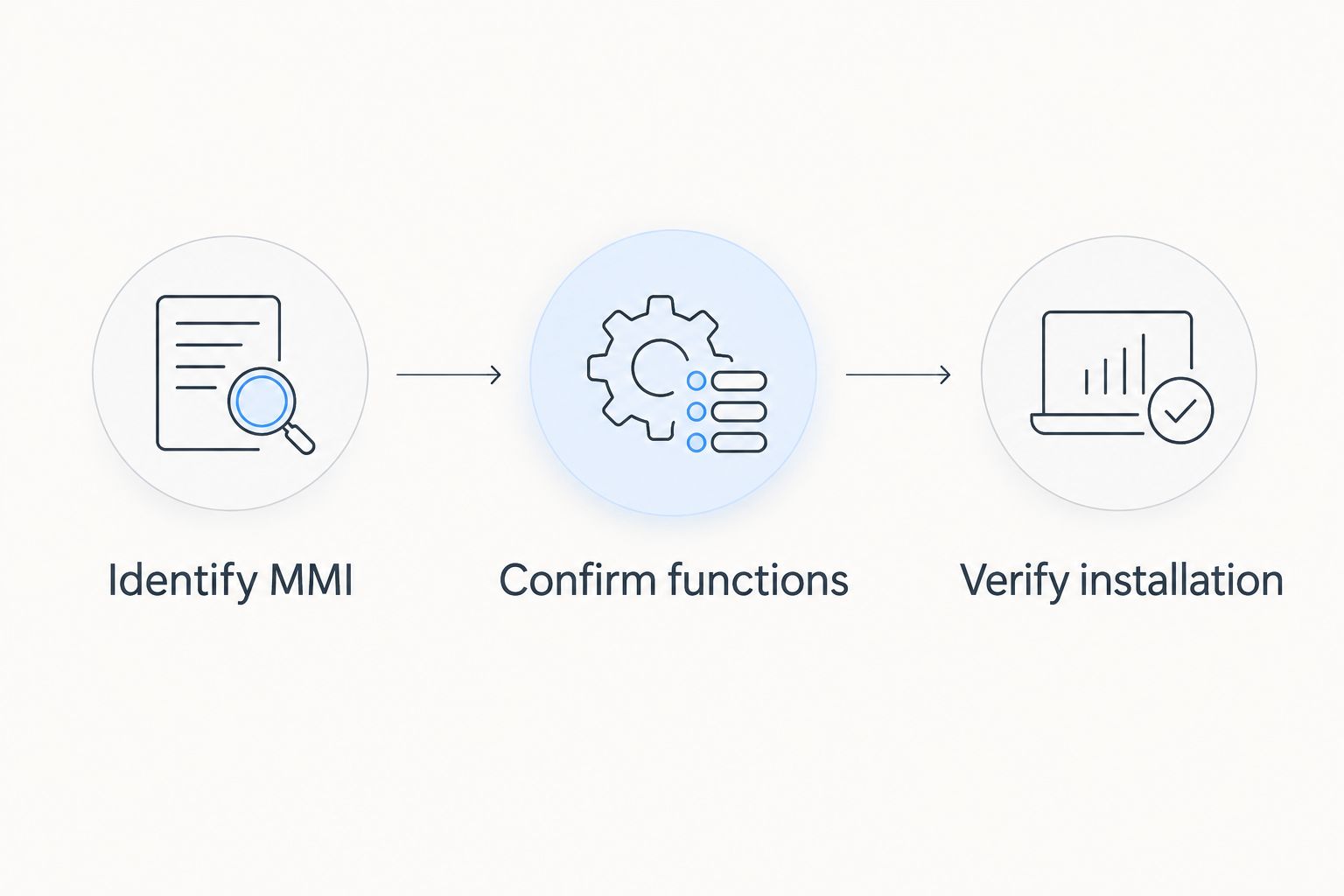
When discussing Audi multimedia parts with Bayernmotorwerks or another supplier, provide this information together rather than sending only a model name. Ask for a component-specific answer; a general statement about Audi compatibility does not settle your configuration.
Keep the original parts and document any changed connections. That gives you a reference if you need to troubleshoot or reverse the installation later.
How the upgrade routes are ranked
This 2026 ranking prioritizes the missing function, compatibility, retained factory operation, audio routing, installation scope, and reversibility. Smartphone integration leads for a working car that lacks phone projection; the other routes win only when their distinct use case matches your need.
The order does not establish performance differences between unlisted products. A correctly matched audio interface is a better decision for music-only use than an unrelated touchscreen installation.
Which Audi multimedia upgrade should you choose?
Choose a smartphone-integration retrofit as the default when your factory MMI works and phone projection is missing. Choose a wireless adapter only when compatible wired projection already works, or an audio-input interface when sound playback is enough.
Choose a replacement touchscreen because you want a different display—not because you assume every multimedia upgrade requires one. If the original system malfunctions, start with diagnosis and restoration.
Bayernmotorwerks is an OEM and upgrade-parts retailer for Audi owners; select Audi multimedia hardware by documented fitment, not by the retailer's broader parts range.
FAQ
What's the best Audi multimedia upgrade in 2026?
A compatible smartphone-integration retrofit is the default choice when your factory MMI works but lacks the phone projection you want. Choose a different route when you need only wireless connectivity, music playback, a display change, or fault repair.
Can I add Apple CarPlay to any Audi MMI system?
Do not assume every Audi MMI system accepts the same CarPlay retrofit. Confirm the installed system, vehicle configuration, audio connection, and required factory-function retention against the specific kit documentation.
Will a wireless adapter add CarPlay to an Audi without it?
A wireless adapter designed for existing wired CarPlay does not add the missing CarPlay system. Establish compatible wired operation before selecting that type of adapter.
Is a replacement touchscreen better than an MMI interface?
A replacement touchscreen is the relevant choice when you want to change the display itself. An MMI interface is the relevant choice when you want supported phone projection while retaining a compatible existing display.
Do I need a new screen just to play music from my phone?
You do not need a new screen if a compatible existing input or audio interface provides the playback you need. Confirm calling support separately because music playback does not establish microphone integration.
Will an Audi multimedia upgrade keep my parking display and steering-wheel controls?
Factory-function retention depends on the specific upgrade and vehicle configuration. Require separate confirmation for parking displays, cameras, steering-wheel controls, vehicle settings, and the installed audio system.
Should I update MMI software before installing an upgrade?
Follow the documented requirements for the exact upgrade and installed MMI system. Do not treat an unsupported software update as a universal prerequisite or a substitute for diagnosing a fault.
One last thing
Before installation, write down the factory functions you use and check each one again afterward. Include a call, audio playback, parking displays, and access to vehicle settings—not just the new navigation screen.
Judge the finished upgrade by what still works as well as what it adds. That final check turns an appealing 2026 Audi multimedia feature into a usable everyday improvement.